M. Elgohary — Power BI dashboards from Excel, SQL, and multi-source KPI reporting
If you use these links to buy something, we may earn a commission.
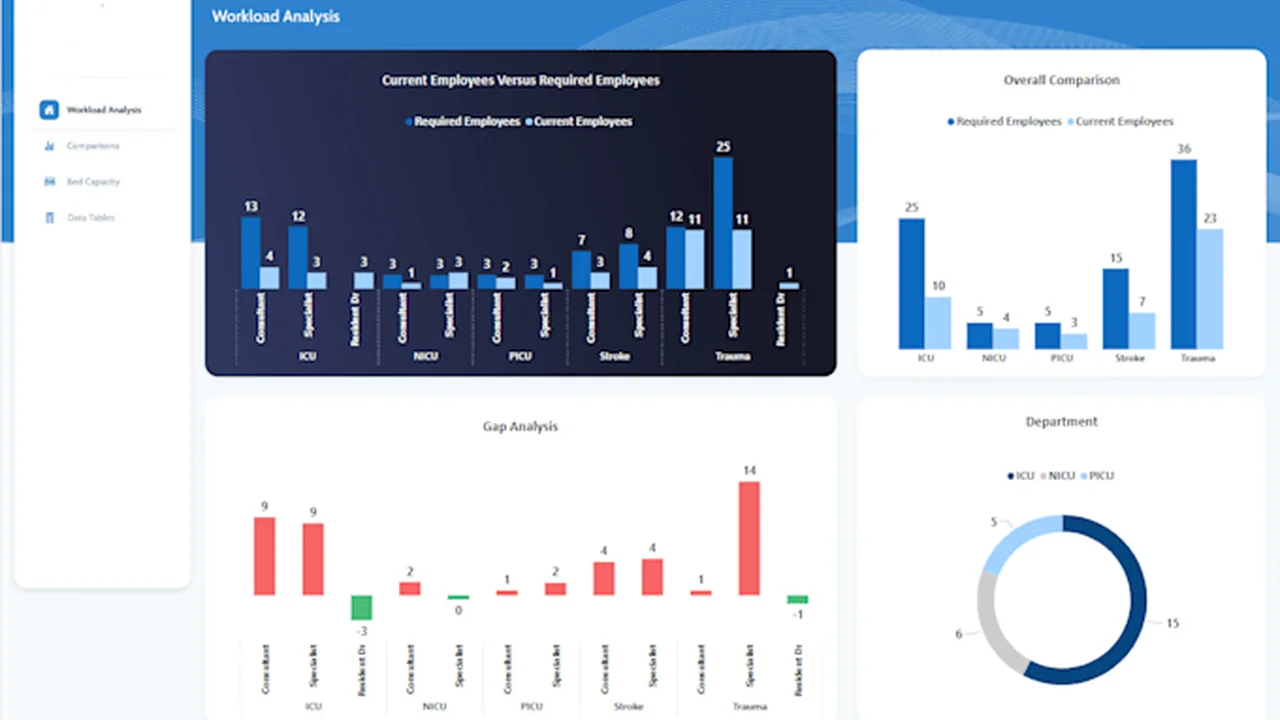
M. Elgohary turns Excel, SQL, and mixed spreadsheet data into interactive Power BI dashboards with KPIs and filters—not static workbook polish. Top Rated, based in Egypt, and he lists a PBIX deliverable with clear tier gaps on revisions, connectivity, and embedding. Message first: last delivery on the profile was about six months before our check; confirm he is active before you order.
Why we picked them
He clears our rising bar as Top Rated (Fiverr’s label, not ours; not Vetted Pro). Seller-level and gig feedback share the same review depth in our notes, so we are not pitting a thin gig thread against a longer profile total. Average response time is 1 hour, English and Arabic, member since January 2022. His tagline covers Power BI, Fabric apps, and automations; the gig breadcrumb is Data Visualization → Data Dashboards.
The listing is specific where many Power BI gigs stay vague: Basic has zero revisions, one page from one clean Excel or CSV, and no data-source connectivity or web embedding; Standard and Premium add connectivity, embedding, modelling, DAX, more pages, and more sources. FAQ copy includes PBIX, message before ordering, and post-delivery support for questions and agreed adjustments. About text names Excel, CSV, Google Sheets, SharePoint, SQL, APIs, Airtable, Azure, and AWS and claims seven or more years and one hundred or more projects—treat those counts as self-reported.
His about copy also lists executive and operational dashboards, Power Query cleaning, KPI design, refresh automation, validation, and documentation for teams stuck with manual reports and data spread across spreadsheets and systems. Against Zenit, Elgohary’s materials stress source diversity, PBIX included, and no revisions on Basic; Zenit’s note gives one revision per tier and no listed .pbix. Choose by embedding, source count, and whether you can live without a revision round on entry tier.
What you get
No package prices here. Tiers differ on pages, revisions, sources, modelling, connectivity, and embedding.
STARTER DASHBOARD (Basic): Two-day delivery (rush option on the gig), zero revisions, one page from one clean Excel or CSV, with KPIs, filters, and interactive visuals. Connectivity and web embedding excluded.
BUSINESS DASHBOARD (Standard): Five-day delivery, three revisions, up to two pages, cleaning, modelling, DAX, up to two sources. Connectivity and embedding included.
ADVANCED BI SOLUTION (Premium): Seven-day delivery, three revisions, up to four pages, multiple sources, advanced modelling, custom DAX, deployment support. Connectivity and embedding included.
FAQ lists PBIX, handover, and bounded post-delivery help—not unlimited redesign. Still need workbook automation instead of a report hub? See Baher H. For investor Excel models rather than ops KPIs, see Tim Guntermann or startup financial model costs.
Best fit
- Leaders stuck with manual spreadsheets who want one filterable Power BI view across operational KPIs.
- One clean Excel or CSV, a locked brief, and acceptance of zero Basic revisions.
- Two pages, two sources, DAX, and embedding on Standard when IT needs a connected or shareable report.
- Multi-source Premium work (SQL, SharePoint, APIs, cloud stores named on the profile) plus deployment support.
- English or Arabic orders when you will message first anyway.
Who should skip
- Checkout without messaging after last delivery ~six months ago on the profile—confirm schedule first.
- Revision-heavy discovery on Basic; use Standard, Premium, or a custom scope instead.
- SQL refresh or portal embed on Basic; connectivity and embedding start on higher tiers.
- Several messy files and no sample against a single-source, no-revision entry tier.
- A long track record weighted like our standard bar; Elgohary is rising, and Zenit may fit if you prioritize depth of marketplace history over PBIX-and-embedding rules here.
What buyers mention
Paraphrased feedback: thorough, complete work (US); very responsive communication (US, Italy); proactive ideas beyond the brief (US, Italy, Australia); clear goal fit and on-time delivery (Australia, US); repeat or ongoing work (US). Scan newer reviews yourself if risk matters.
Before you order
- Message first; confirm availability and delivery after the six-month last-delivery signal on the profile.
- Send sources, reporting pain, decisions the dashboard must support, sample data, KPIs, branding, and current report examples (gig checklist).
- Book Basic only for one clean Excel or CSV, zero revisions, and no connectivity or embedding.
- Pick Standard for two pages/sources, DAX, three revisions, connectivity, and embedding; Premium for four pages, multiple sources, advanced DAX, deployment support.
- Confirm PBIX, refresh, and embedding ownership in messages.
- List every connector you expect so tier caps match (SQL, SharePoint, APIs, Airtable, cloud).
- Treat post-delivery help as questions and agreed tweaks, not a second build.
How we reviewed this page
On November 18, 2026, we used supplied notes from the gig, FAQ, profile, reviews, and the Workload Analysis gallery still on R2. We have not hired M. Elgohary. Figures, packages, and activity can change; we do not publish prices. He meets our rising bar—buyers who want a much longer review history should weigh that limit. Last delivery was about six months before this check; messaging is required, not courtesy.